

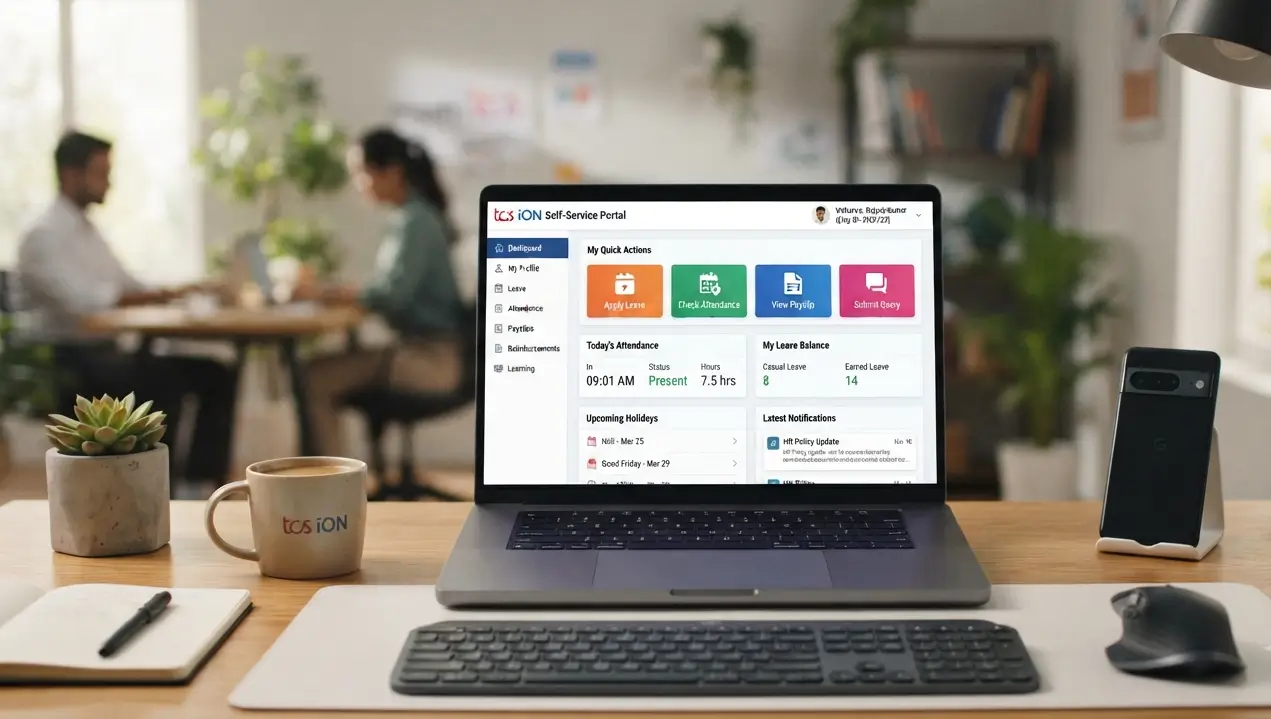
Many people come across the term TCS iON Self Service while using an online education, examination, HR, or business-related service. The name can sound technical at first. However, the basic idea is quite simple. TCS iON Self Service gives authorised users access to information and activities through a personalised online interface. Depending on the organisation and the access given to a user, the screen can show different information, widgets, requests, tasks and useful links.
For example, a student may see information related to education or examinations. An employee may use self-service features connected with salary, savings declarations or other workplace activities. An organisation can also use dashboards to display useful information to authorised users.
This guide explains TCS iON Self Service in simple language. It also explains what the platform does, who can use it, and why the options may look different for different users.
What Is TCS iON Self Service?
TCS iON Self Service is a part of the TCS iON platform that allows authorised users to access information and perform certain activities themselves. Instead of depending on an administrator for every small task, users can access available information from their own dashboard. The exact options depend on the user’s role and the services provided by the organisation.
TCS iON describes Self Service as a solution that can provide an instant view of data through widgets. Users can also view requests, take action on requests, see pending tasks, and receive information about upcoming events. In simple words, think of it as a personalised online dashboard where an organisation can make relevant services and information available to its users.
How Does TCS iON Self Service Work?
The important thing to understand is that TCS iON Self Service does not show exactly the same information to everyone. The organisation decides which solutions, widgets, and features a particular user can access. The user’s role also affects what appears on the screen.
For example, an administrator may have access to more options than a normal employee or student. Similarly, a college can provide students with a different dashboard from the one used by its staff.
A Simple Example
Suppose a college uses TCS iON for managing some of its academic activities. A student may receive a dashboard containing information relevant to that student. The college administration may have a different dashboard with management-related information. This makes the system more useful because users do not need to search through unrelated options.
Main Features of TCS iON Self Service
TCS iON Self Service offers several features that organisations can configure according to their requirements.
1. Personalised Dashboard
One of the main ideas behind Self Service is the use of a personalised dashboard. The dashboard can display information through widgets. These widgets can present useful data in a simple format so that users can understand important information without going through large amounts of data. The exact widgets available depend on the organisation and the user’s access rights.
2. Quick Links
Quick links can help users reach frequently used sections without searching through the complete system. An organisation can arrange useful links according to the needs of different user groups. This can make daily activities easier for people who regularly use the platform.
3. Requests and Pending Tasks
Self Service can also show requests and pending work assigned to a user. For example, when a system provides a request-based activity, the user may be able to view the request and take the required action from the available interface.
This can reduce the need for users to contact an administrator for every routine activity.
4. Information About Upcoming Events
The platform can also provide information about forthcoming events or activities. What appears here depends on the solutions connected to the user’s account and the way the organisation has configured its Self Service environment.
TCS iON Self Service for Students
Students may come across TCS iON services when their school, college, university, or examination authority uses TCS iON solutions. However, students should not assume that every TCS iON account will show the same dashboard.
The available information depends on the service used by the educational institution. TCS iON also provides digital examination services. Its official information says students can view results through its self-service platform and mobile app in applicable digital exam setups.
What Can Students Check?
Depending on the institution or examination service, students may receive access to relevant academic or examination information. The exact options can include information connected with results, requests or other services provided by the institution.
If you cannot find a particular option, it does not necessarily mean that your account has a problem. The organisation may simply not have provided that feature to your user group.
TCS iON Self Service for Employees
TCS iON Self Service also works with business and HR-related solutions. For example, TCS iON documentation explains that its Payroll solution can use Self Service for activities such as employee savings declarations and viewing salary slips.
This can make routine employee activities easier because employees can access certain information without depending completely on the HR department.
Salary and Payroll Information
In organisations using the relevant TCS iON Payroll setup, employees may be able to access salary-related information through Self Service. However, the exact information available depends on how the organisation has configured its TCS iON solutions. An employee should therefore check the options available after signing in rather than expecting every feature listed online.
TCS iON Self Service for Organisations
Self Service is not only designed for individual users. Organisations can configure dashboards and widgets according to different user groups. For example, an administrator can decide which widgets and quick links should appear for a particular group.
This can help an organisation present important information in a more organised way.
Analytical Widgets
TCS iON documentation also describes analytical widgets that can help users analyse selected information. Scalar, vector and pivot widgets can present information in different formats. These features mainly matter to administrators and organisations that need to work with larger amounts of data.
A normal user does not need to understand these technical terms to use the basic Self Service dashboard.
Can TCS iON Self Service Be Used on Mobile?
TCS iON also has mTOP, which stands for iON on mobile.
According to TCS iON documentation, mTOP allows users to access multiple iON solutions through mobile phones. Self Service is among the solutions that can integrate with mTOP. This means mobile access depends on the organisation’s setup and the services connected to the user’s account.
If a particular option does not appear on mobile, check whether your organisation has enabled that service for your account.
TCS iON Self Service vs TCS iON Digital Exam
People sometimes confuse these two terms because TCS iON provides services for digital examinations as well as other organisational functions.
TCS iON Digital Exam refers to examination services that help organisations conduct digital assessments. TCS iON Self Service refers to a platform or solution that gives authorised users access to information, widgets, requests and other available services.
The two can work together in certain situations. For example, TCS iON’s digital examination services can provide students with access to results through a self-service platform. But this does not mean that every Self Service account represents an examination account.
Conclusion
TCS iON Self Service makes it easier for authorised users to access information and complete certain activities through an online dashboard. Instead of showing the same information to everyone, the system can provide different widgets, links, and services based on the user’s role and the organisation’s setup.
Students may encounter Self Service while using educational or examination services. Employees may use it for selected HR or payroll activities. Organisations can also configure dashboards and analytical widgets for different user groups.
The most important point to remember is that TCS iON Self Service does not look the same for every user. If you cannot find a particular feature, first check whether your organisation has enabled it for your account. For any exam, college or workplace-related activity, follow the instructions provided by the organisation that gave you the TCS iON login. This will help you use the correct service and avoid confusion.
Frequently Asked Questions
1. What is TCS iON Self Service?
TCS iON Self Service is a platform solution that gives authorised users access to relevant information, dashboards, widgets, requests, tasks and quick links according to their role.
2. Is TCS iON Self Service only for students?
No. TCS iON Self Service can support different types of users. Organisations can use it for students, employees, administrators and other authorised users depending on the solutions they use.
3. Can I check exam results through TCS iON Self Service?
In applicable digital examination services, TCS iON provides students with access to results through its self-service platform and mobile services. The exact process depends on the examination or institution.
4. Why can another user see more options than me?
TCS iON Self Service displays information according to user access and role. Your organisation may have given another user a different set of permissions.
5. Can employees use TCS iON Self Service?
Yes. TCS iON has Self Service features connected with solutions such as HRMS and Payroll. Depending on the organisation’s setup, employees may access information such as salary-related details or savings declarations.
6. Can I use TCS iON Self Service on a mobile phone?
TCS iON provides mTOP for mobile access to multiple iON solutions, including Self Service. The available features depend on your account and organisation’s configuration.